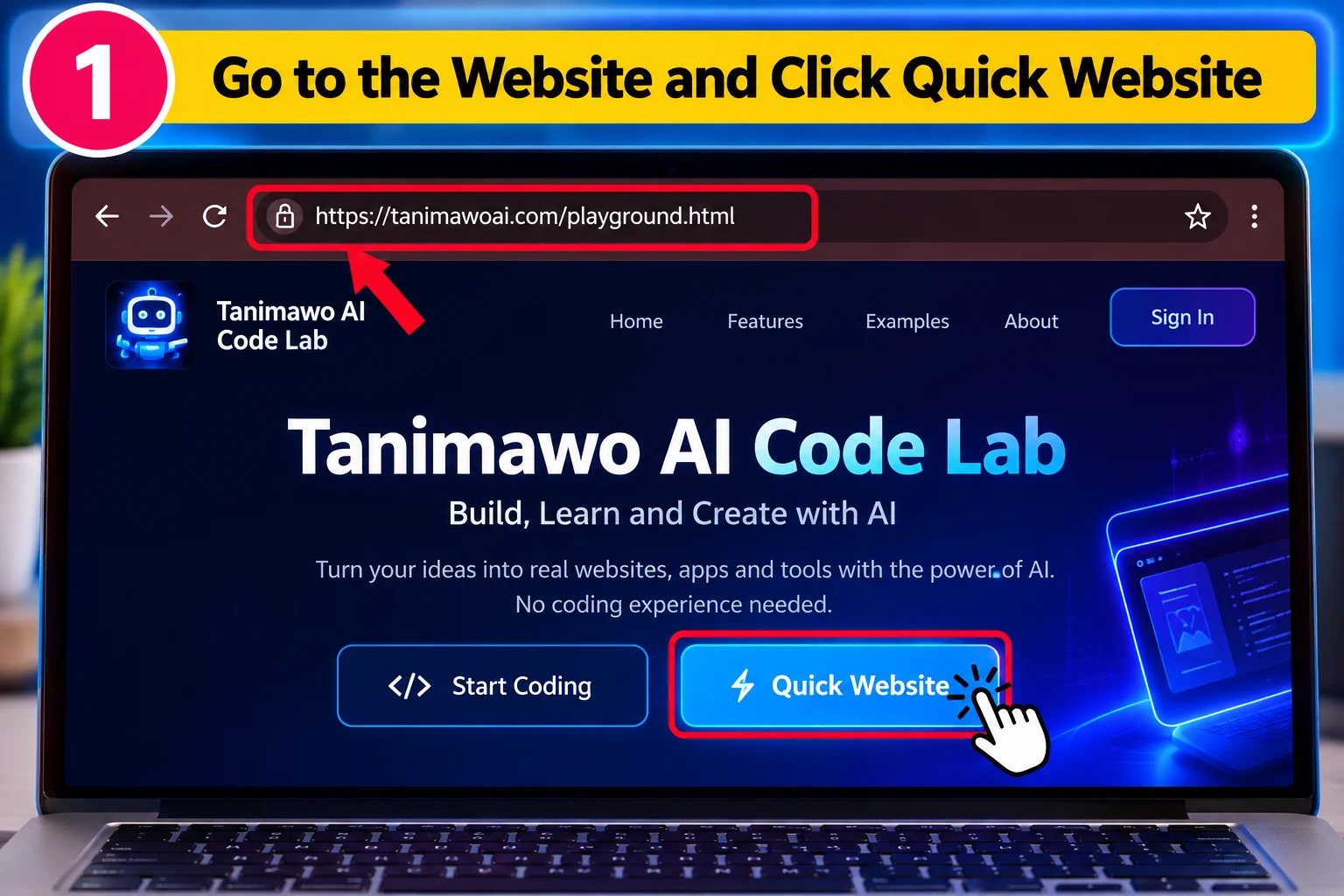
Open the Tanimawo AI Code Lab and click Quick Website
Go to the Tanimawo AI Code Lab (tanimawoai.com/playground.html) and click Quick Website.
You can build a complete website using AI even if you don't know how to code. Follow these 9 steps, with a picture for each one.
 9 steps · about 15 minutes
Go to the Tanimawo AI Code Lab (tanimawoai.com/playground.html) and click Quick Website.
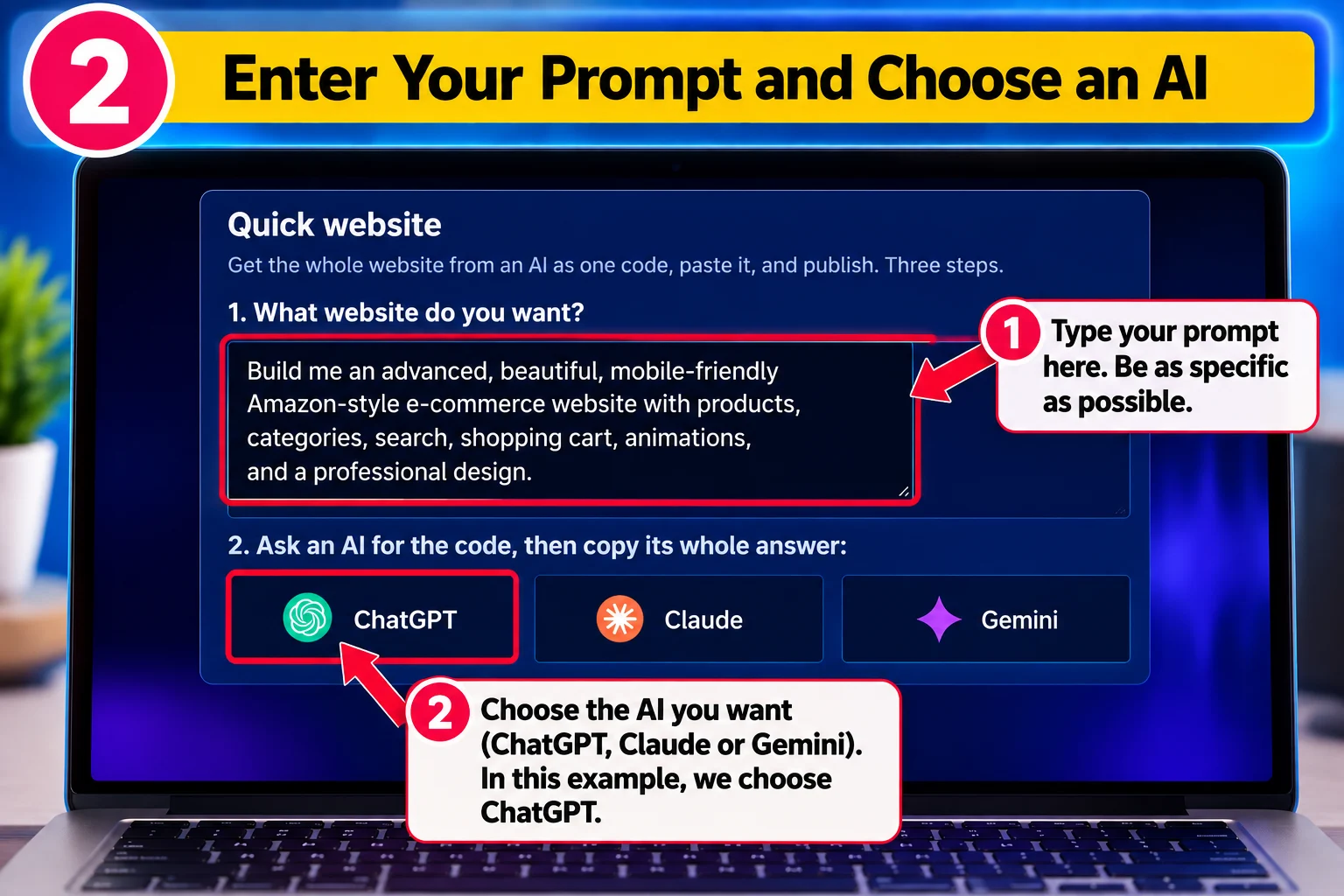
In the box under “What website do you want?”, type what you want AI to build. Be as specific as possible. For example:
Build me an advanced, beautiful, mobile-friendly Amazon-style e-commerce website with products, categories, search, shopping cart, animations, and a professional design.
Then select ChatGPT, Claude or Gemini. The AI opens with a prepared prompt containing your website idea. Send the prompt.
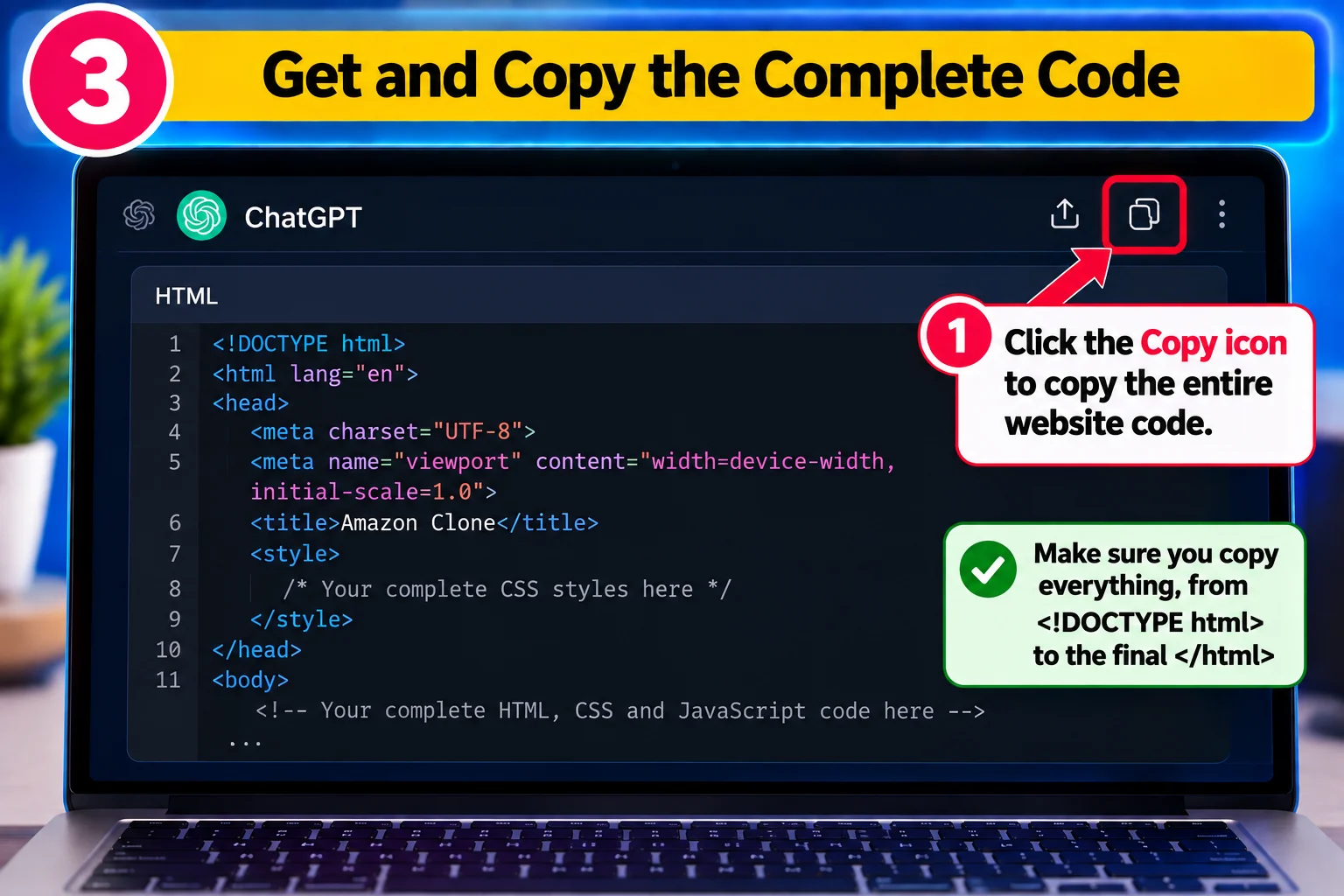
Wait for the AI to finish writing your website. When it finishes, use the Copy button on the code to copy the entire HTML code.
Make sure you copy everything, from <!DOCTYPE html> through the final </html>.
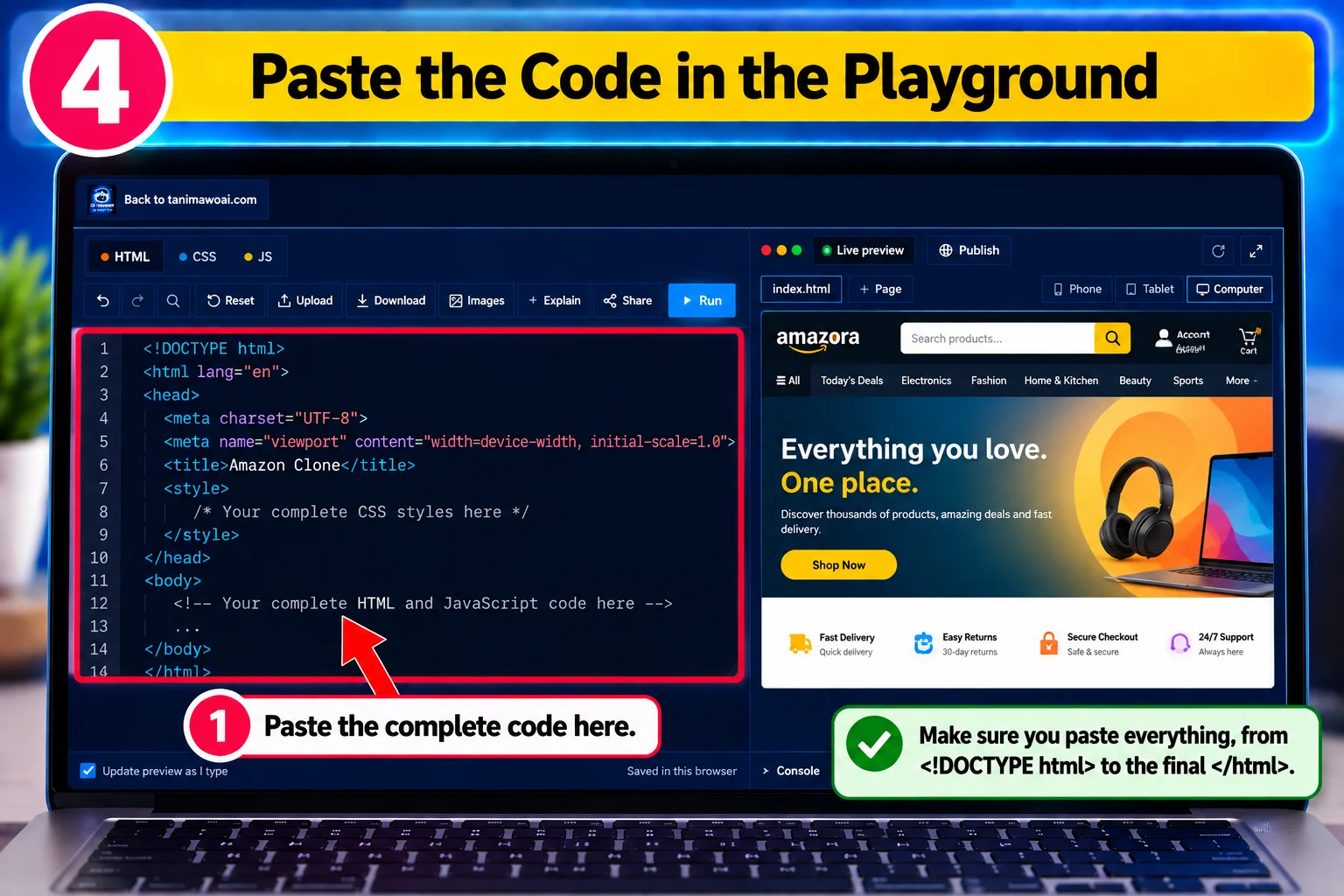
Go back to the Tanimawo AI Code Lab. Your Quick Website window should still be open. Paste the AI's complete answer into the box under “Paste the whole answer here.”
Paste everything, from <!DOCTYPE html> to the final </html>.
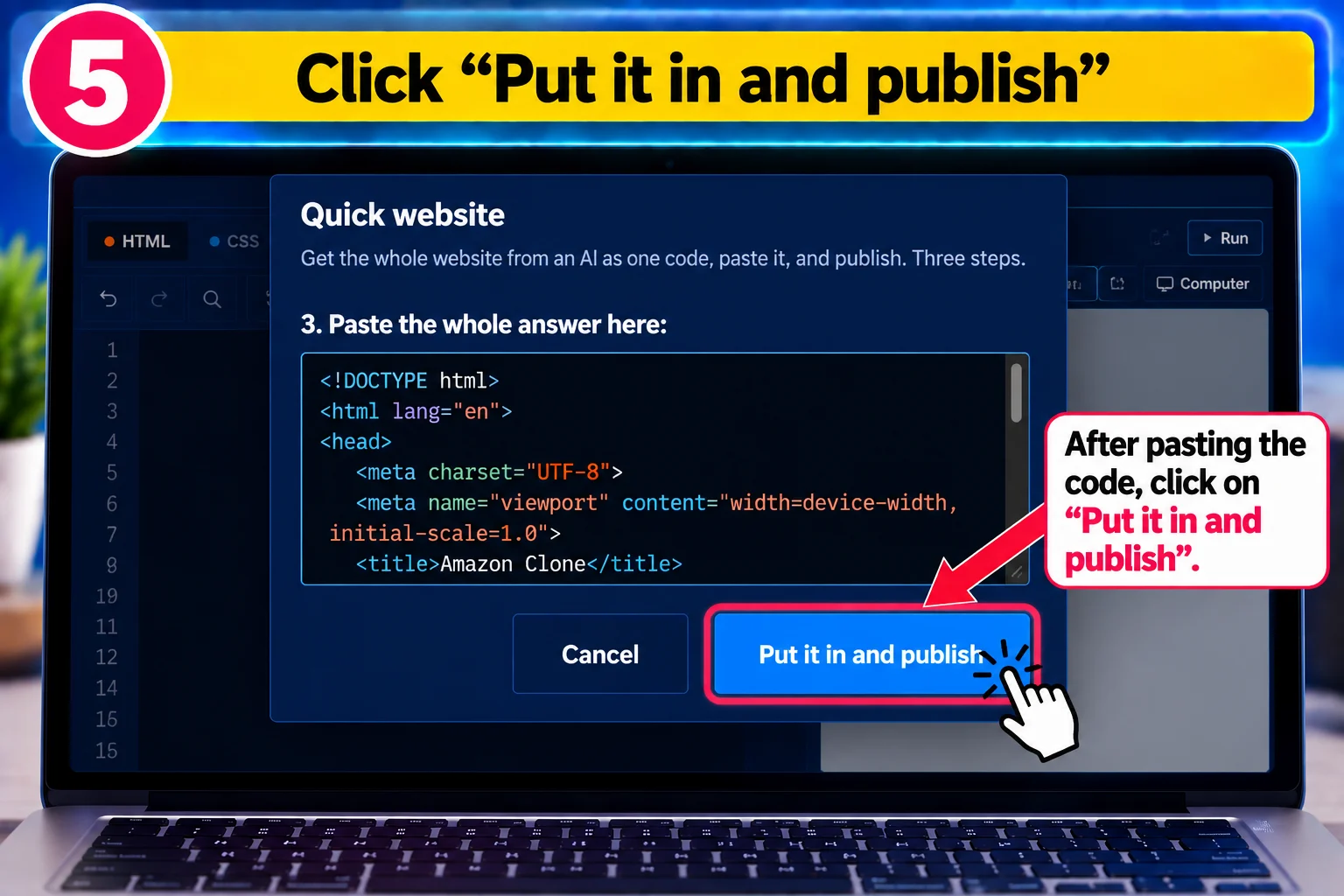
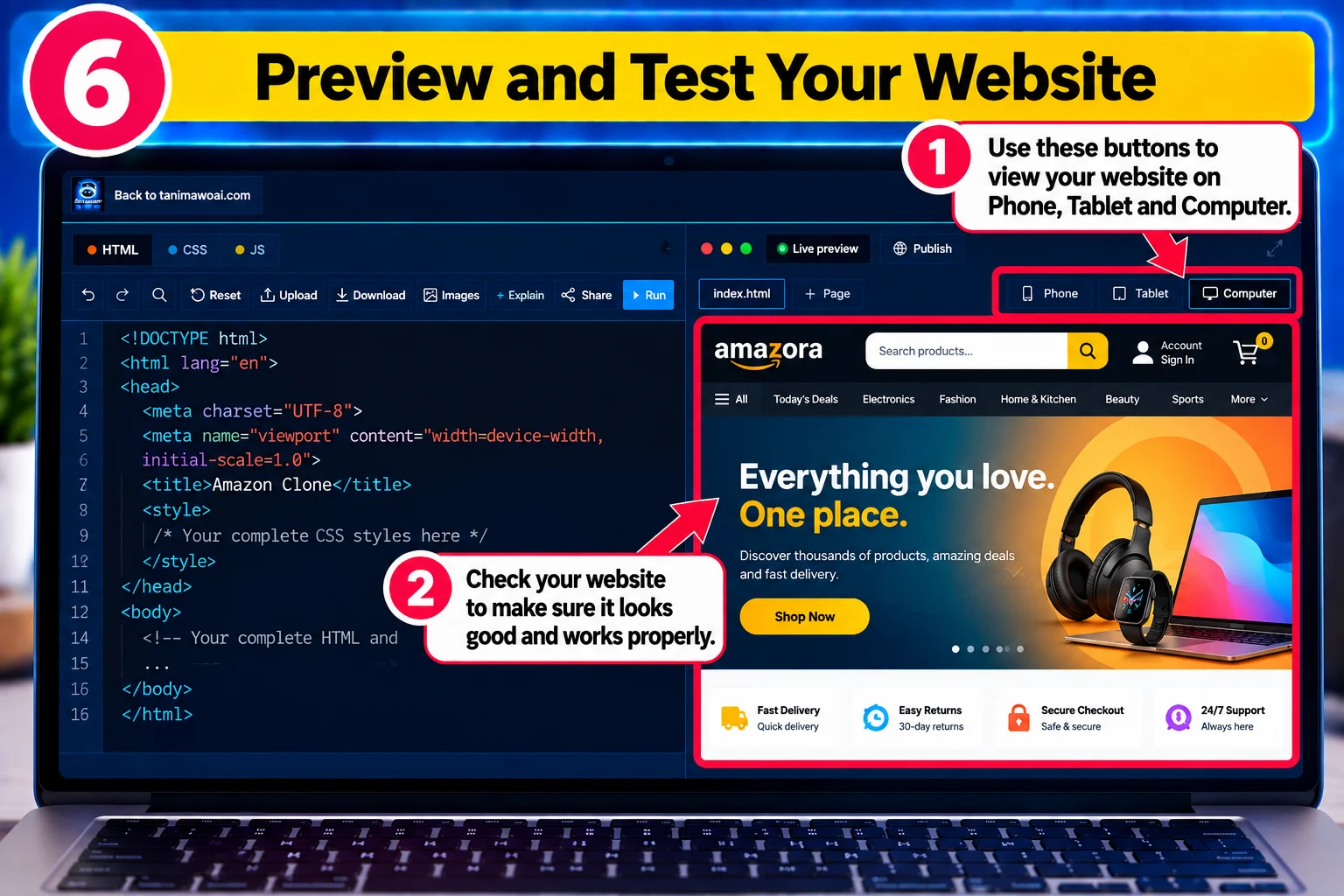
After pasting the code, click the blue Put it in and publish button. The Code Lab places the website code into the editor and shows a live preview.
Your website appears on the right side under Live preview. Use the Phone, Tablet and Computer buttons to see how it looks on different devices.
Test the buttons, menus, links, forms and other features before publishing.
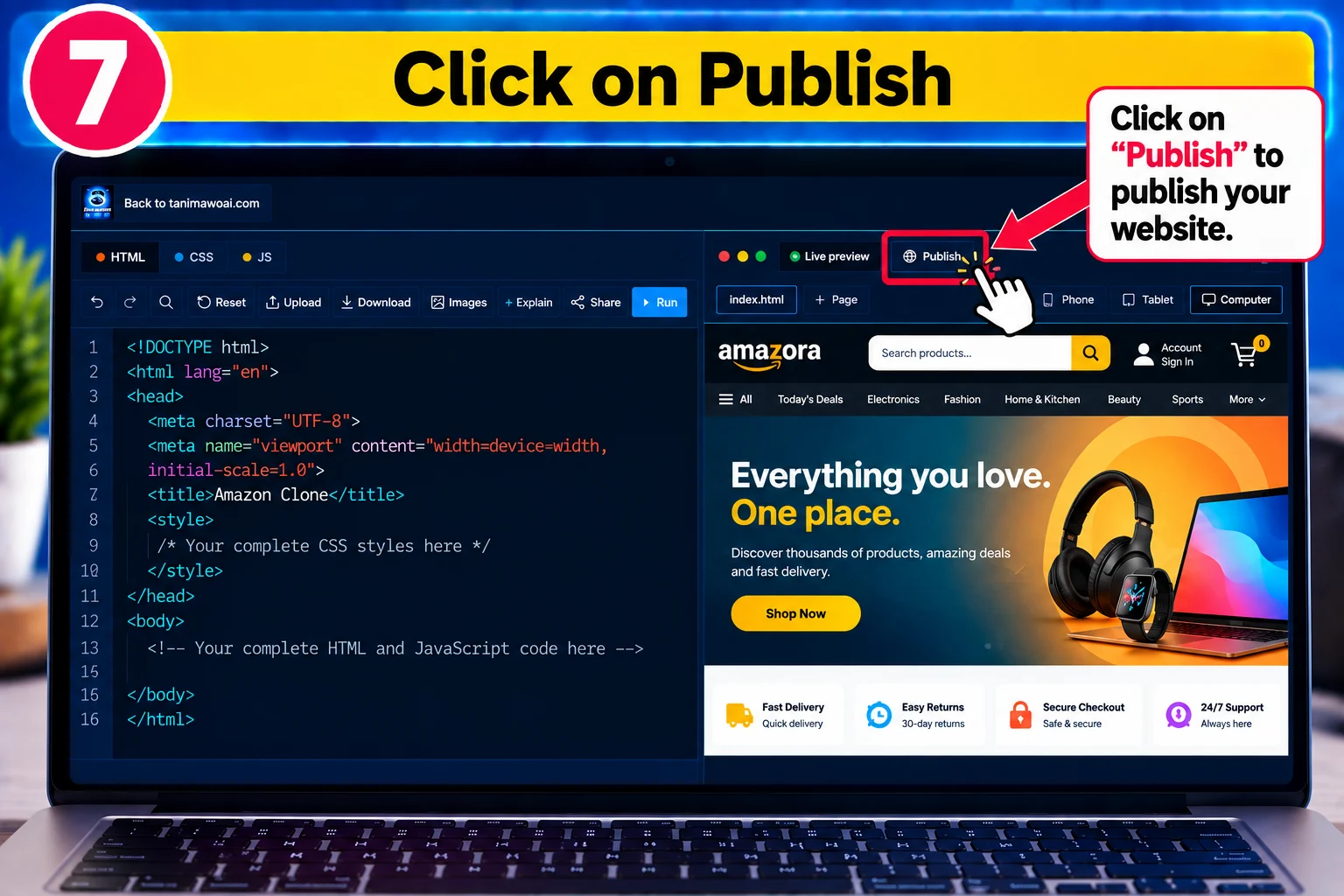
When you are happy with your website, click Publish at the top of the preview.
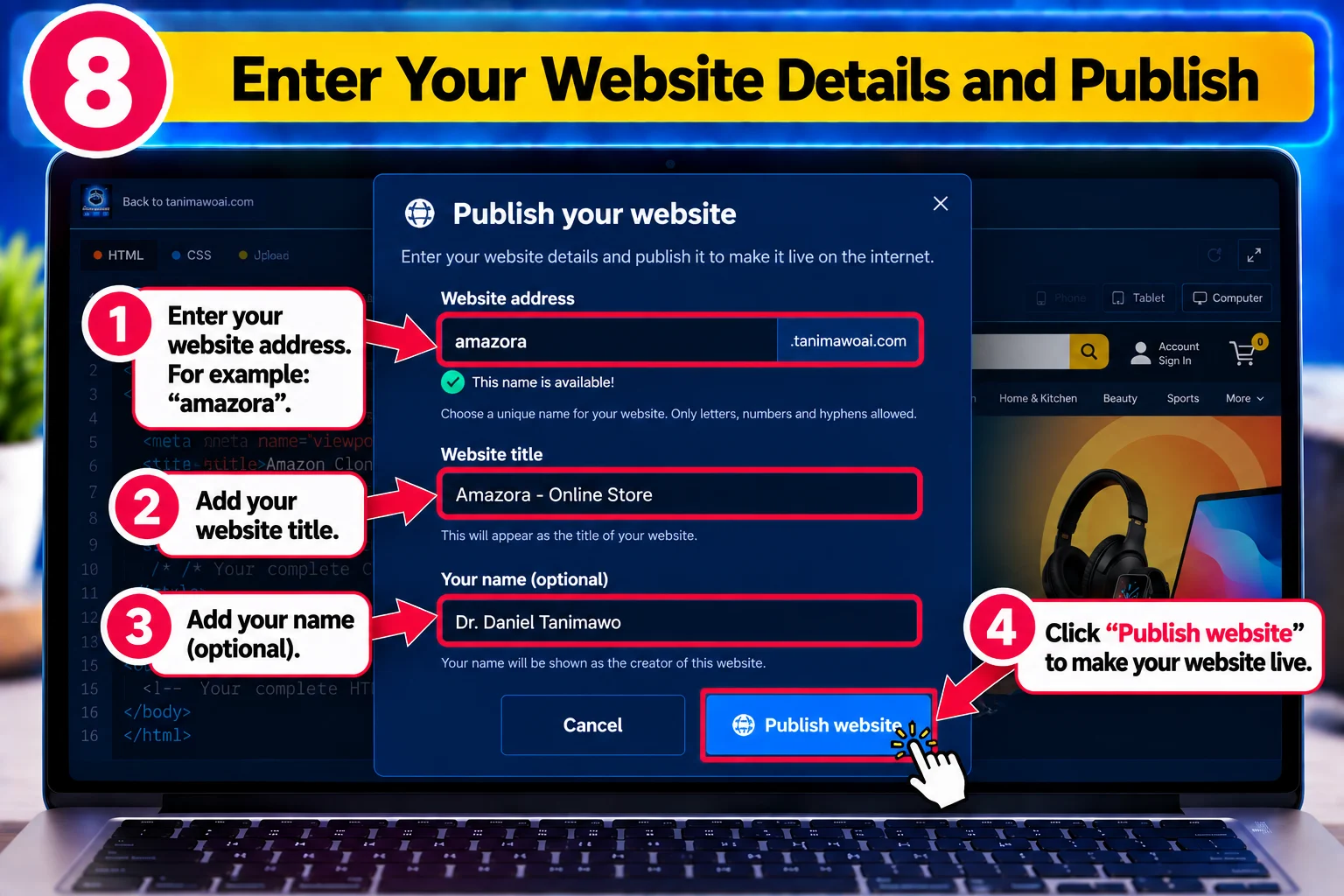
Choose your Website address. For example, entering amazora gives you an address like amazora.tanimawoai.com. If the name is already taken, choose another one.
Add your Website title and Your name if asked. Read any warnings the Code Lab gives you: you can fix them first, or publish and improve the site later.
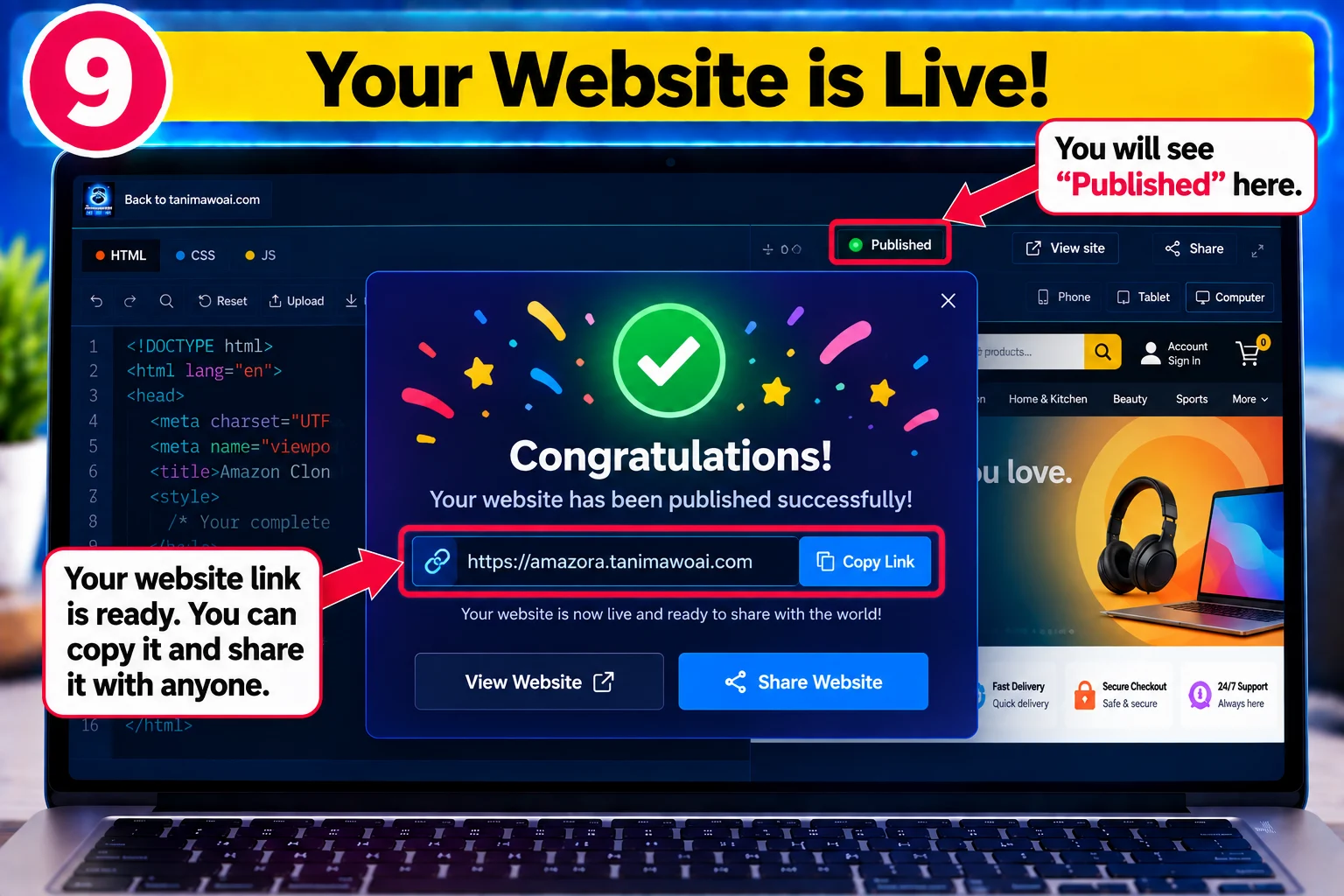
Finally, click Publish my website.
Congratulations! Copy your new website link and share it on Facebook, WhatsApp, LinkedIn, YouTube, your CV, or with customers, friends and family.
It takes a few minutes, and it's free. Stuck on a step? Ask in our Telegram community, or join the free live class on Sunday.
